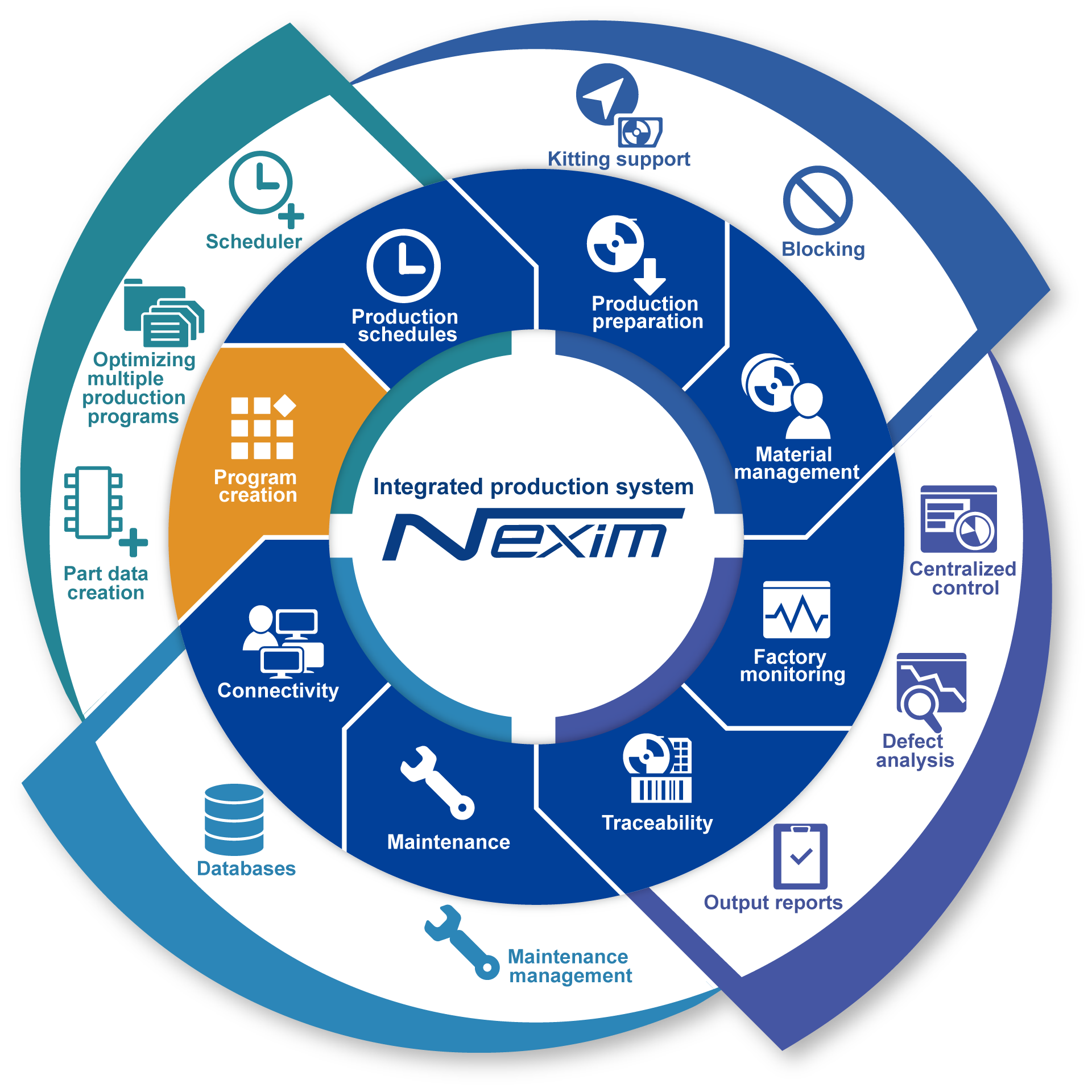
Nexim is an integrated software for centralized management of planning, changeover, production, maintenance, and analysis.
When creating programs, anyone can quickly create and optimize high accuracy placement programs by utilizing various data such as CAD and BOM.
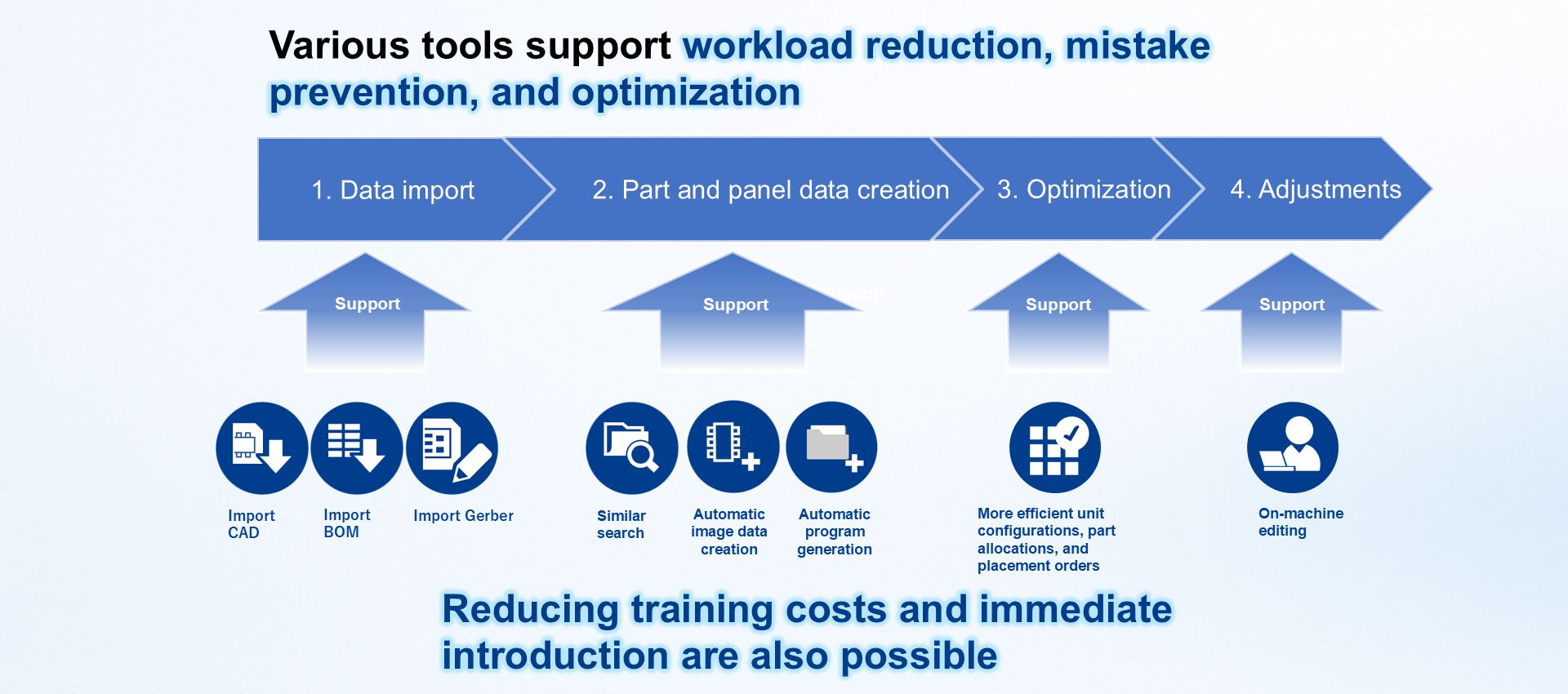
Nexim has a wide variety of tools to support program creation. Anyone can work without hesitation, leading to reduced training costs and allowing immediate introduction to the production site.
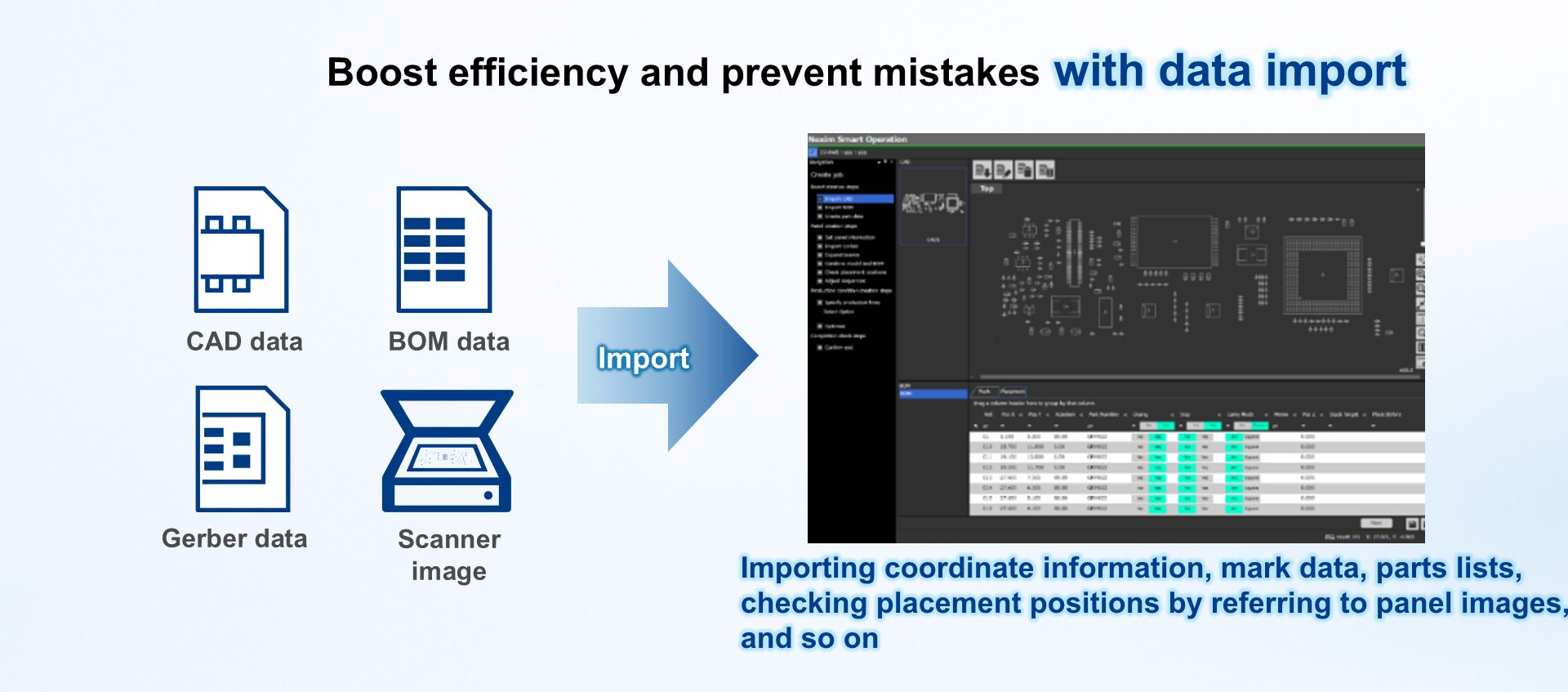
By importing coordinate information, fiducial marks, and parts list, part placement positions can be checked while viewing the panel image.
It is possible to import a variety of data formats such as CAD, BOM, and Gerber data and create data for parts and panels easily.
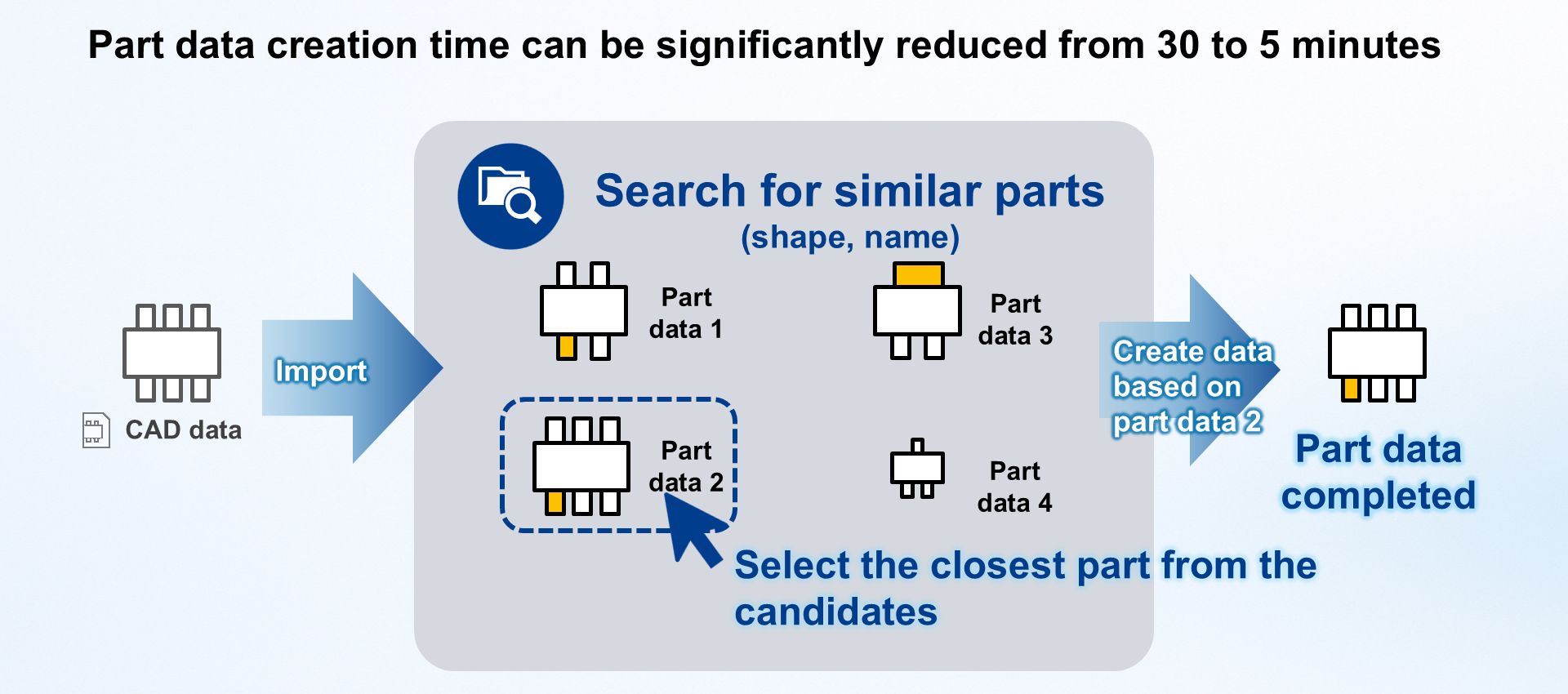
By utilizing the search for similar parts, the creation of new part data can be completed in as little as five minutes. Simply select one of the similar parts that was automatically selected and make edits based on that data to complete the part data.
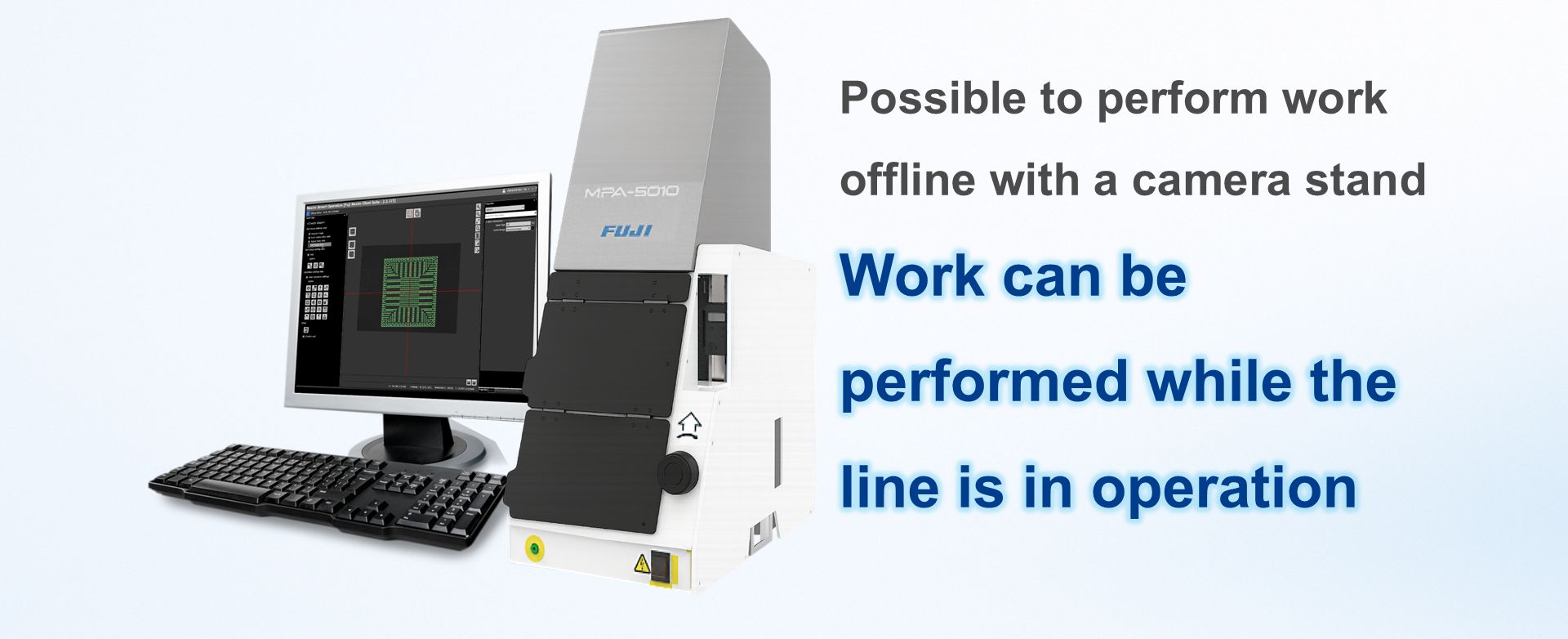
With the camera stand, part data can be created offline without stopping the line, allowing preparation while maintaining production.
The operator simply sets the part and selects the shape and then captures the image. Vision processing tests can also be performed taking into account Q deviation and position deviations.
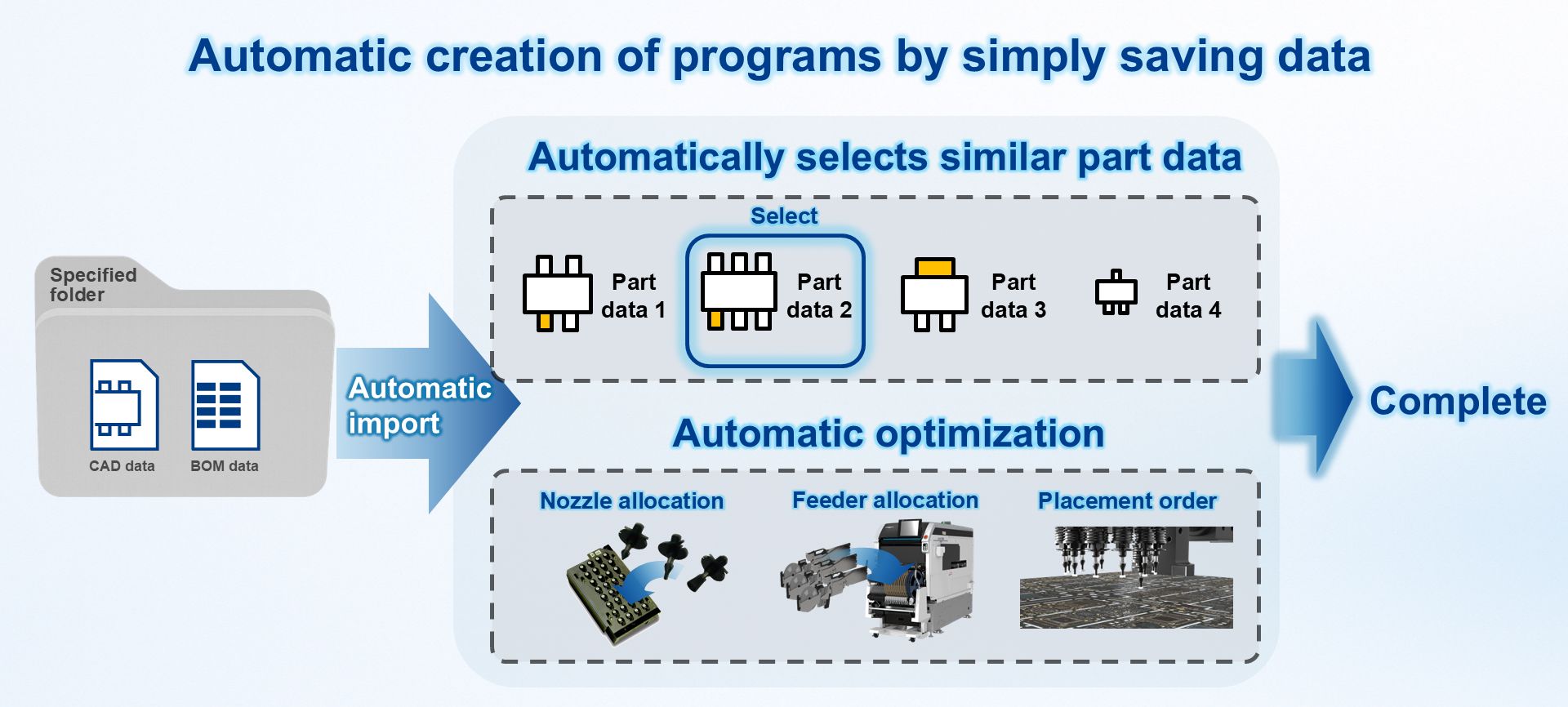
With automatic program generation, programs are automatically generated simply by saving CAD and BOM data in a specified folder.
Similar parts are automatically selected, and data such as nozzle allocation, feeder allocation, and placement order are automatically optimized. Because of this, stable programs can be created in a short time and with little effort while preventing creation errors.
Note: Scheduled for release in 2026
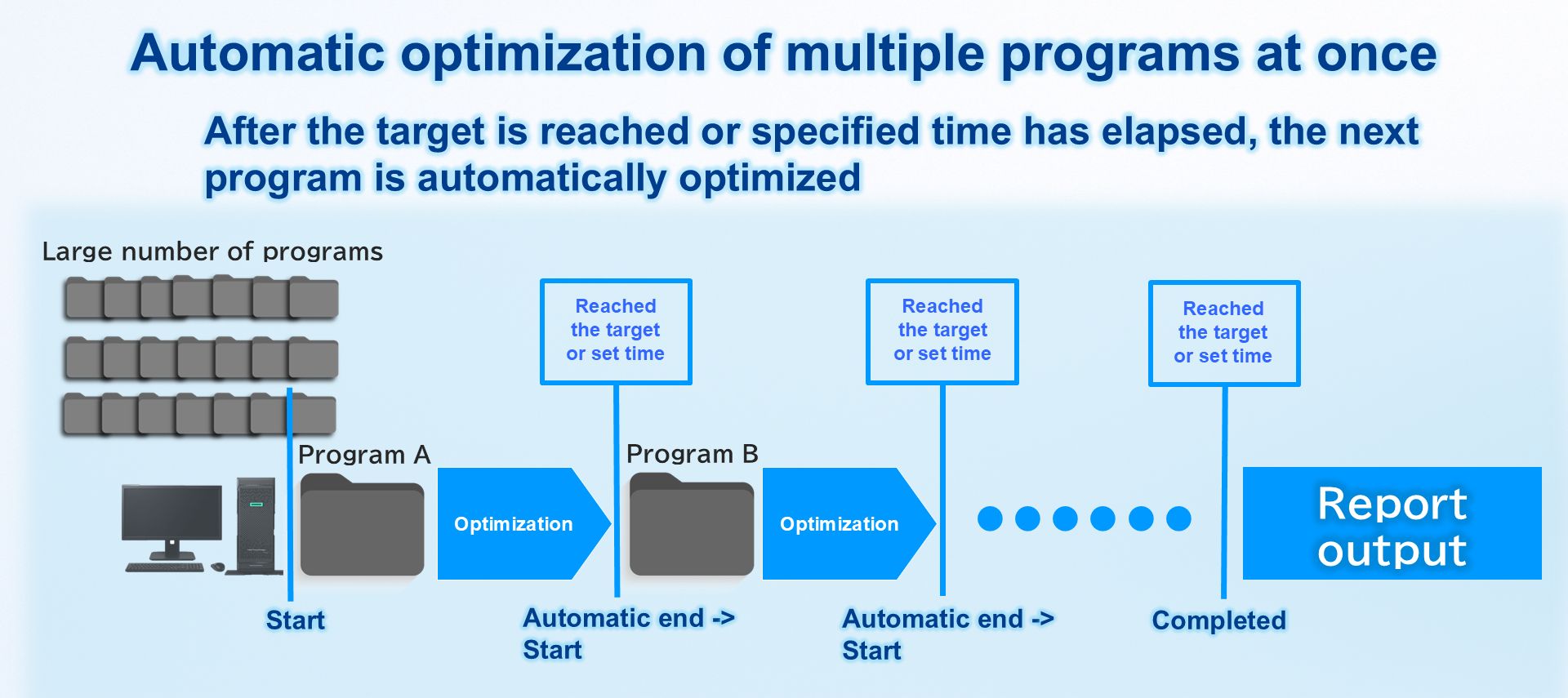
Previously, when a large number of program modifications are required due to a change in the production model or line, the programs had to be optimized one by one by hand, which took a huge amount of time and effort.
With Smart Proposal, optimization is performed automatically. Once conditions are met, the program automatically proceeds to the next program. This streamlines time-consuming optimization work, enabling stress-free optimization of the entire line.
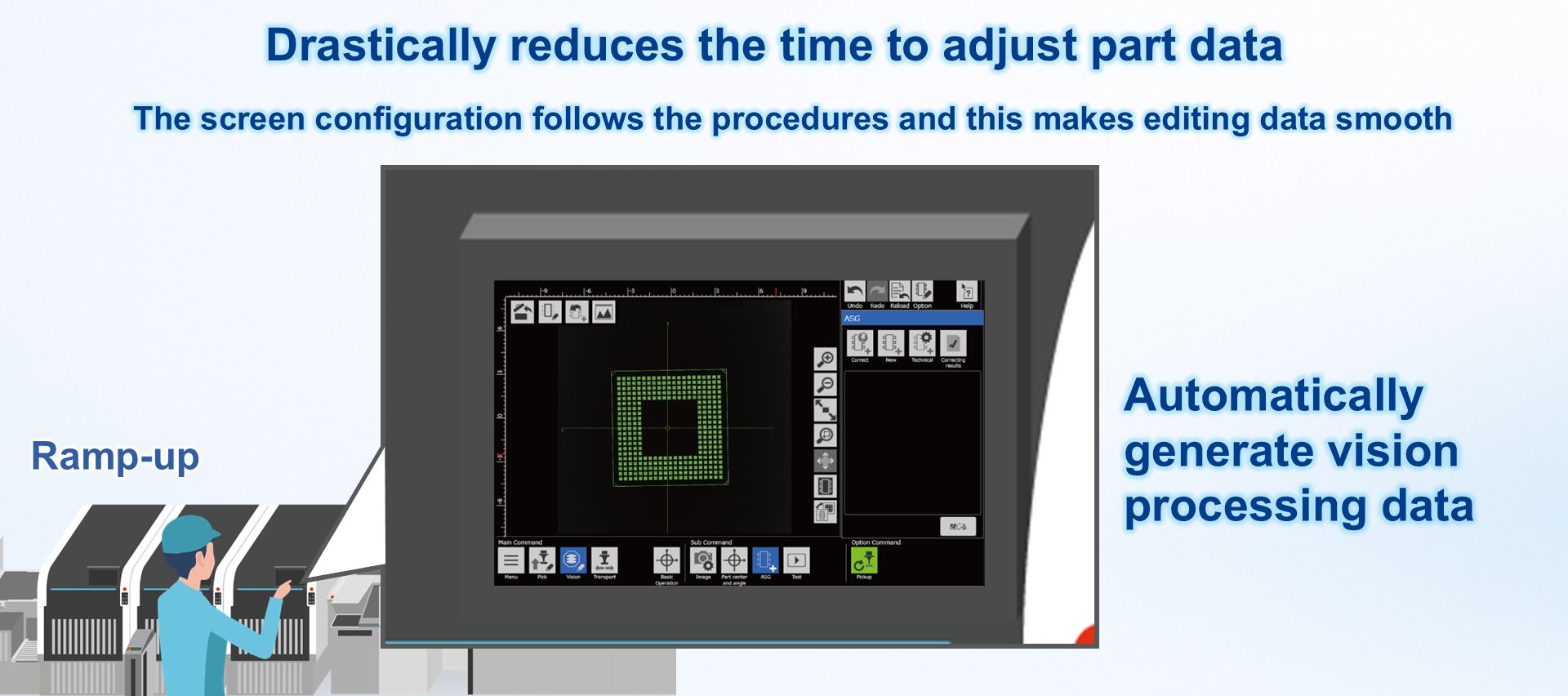
The procedure can be used to smoothly adjust for pickup errors and vision processing errors that occur during ramp-up for the new model.
Adjustments necessary for ramp-up, such as pickup position of tray parts, automatic generation of vision processing data, and automatic measurement of transfer conditions, can be made quickly.
Adjusted data can be uploaded to the Nexim server and shared with the entire line for immediate use.












 Contact